
Autodesk training courses are being talked about a lot these days. Not just by students looking for jobs, but by working professionals as well as companies too. And interestingly, all are trying to solve almost the same problem. It’s interesting how the same problem looks completely different depending on where you’re standing.
If you’re running an engineering or design company, you’ve probably had moments where the software isn’t the issue. Autodesk tools are there. The systems are there. But finding people who can actually step in and use them properly? That’s where things become difficult. Sometimes experienced staff end up spending weeks helping recruits get comfortable before real work can even begin.
Then there are the professionals.
Maybe you’ve already been using AutoCAD or Revit. Maybe you’ve picked things up through college, YouTube, or on the job. Still, when a bigger project comes along, or an interview gets technical, you suddenly feel there’s a lot you haven’t really worked with.
So where is the gap?
It may not be about knowing the software exists. Most people do. It’s about learning it in a way that matches how the industry actually uses it. That’s probably why Autodesk training courses for companies have become relevant for both employers trying to build capable teams and professionals trying to build better careers.
Grand International Company: The Right Autodesk Training Center for You
There are plenty of places offering Autodesk training courses today. That’s probably not the difficult part anymore. It is knowing which one is actually worth your time. Learning software isn’t only about opening the tools and trying every command; the real question is whether the training prepares you for the kind of work waiting outside the classroom.
That’s where training centers start becoming different. Some are more focused on completing the syllabus. Some are more focused on helping you earn a certificate. But if you’re looking for a job, changing roles, or trying to build a stronger technical team, you probably need something more practical and work-oriented.
That’s how we look at training at Grand International Company (GIC).
Whether it’s students getting ready for their first job or working professionals trying to move into bigger opportunities, the idea is the same. Train them for the work they’ll actually be doing.
Our Autodesk training in Kuwait and Autodesk training in Qatar programs are built around that thinking, less about simply finishing a course. More about understanding industry workflows, solving project situations, and helping people become professionals employers feel confident hiring.
Types of Autodesk Training at GIC: Which one should you choose?
There are a variety of Autodesk courses for engineers. That’s why choosing a course can feel confusing at first.
A person designing a building doesn’t work the same way as someone designing structural systems. An MEP engineer has different responsibilities. The person coordinating an entire BIM project is using a different set of tools again. Autodesk has built software around all of these jobs instead of expecting one software to do everything.
Some people walk into GIC already knowing exactly what they want. “I need Revit Architecture.” “I want to learn Navisworks.” That’s easy.
But quite a few don’t.
They only know they’re trying to get a better job. Or their company is moving into BIM. Or they’ve been told Revit experience will help them grow. They know where they want to reach. They’re just not sure which software gets them there.
That’s something we help with before the training even begins.
We’ll usually ask a few questions. What do you do now? Are you in Architecture, Structure, orMEP? Are you already working? Still studying? Trying to move into BIM? Once we know that, recommending the right course becomes much easier.
For someone in architectural design, it might be Revit Architecture Essentials before moving into the advanced program.
A structural engineer may be better off with Revit Structure. MEP professionals usually follow the Revit MEP path.
Then some professionals spend more time coordinating projects than creating models. That’s where software like Navisworks Manage, Forma Design Collaboration(formerly BIM Collaborate Pro), Forma Data Management ( formerlyAutodesk Docs) and Forma Build starts making more sense.
And some projects begin long before anyone starts modeling. Existing buildings have to be captured, surveyed and understood first. That’s where ReCap Pro comes into the picture.
Looking at that list, it probably seems like a lot.
But you don’t have to learn everything.
You only need to learn the software that’s relevant to the work you do—or the work you want to do next.
That’s how we look at Autodesk training Kuwait and Autodesk training Qatar at GIC. Not as a collection of software courses, but as different learning paths for different professionals. The destination isn’t completing a course. It’s becoming someone who can walk into a project and know what they’re doing.
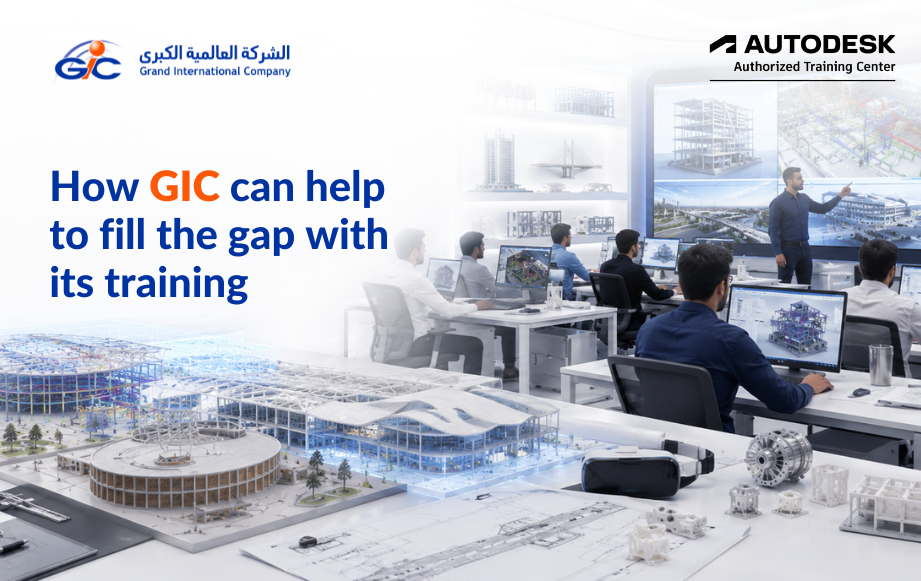
As an Autodesk Authorized Training Center, GIC provides training across all of these Autodesk software programs. When you’re just starting, upgrading your skills, or planning training for your team, we’ll help you identify the course that fits your goals instead of asking you to figure it out on your own.
If you’d like to explore each program in more detail, take a look at our Autodesk Training Courses page. You’ll find course information, learning outcomes, and the different training options available for professionals across Kuwait, Qatar, and the Middle East.
Benefits of Autodesk Training for Professionals
Most people don’t join an Autodesk course for architects to learn another software. There’s usually a reason behind it.
- Better Salary – New skills often bring better pay. As your technical expertise grows, so do the opportunities to earn more.
- Career Promotion – Taking on bigger responsibilities becomes easier when you understand the software and workflows your company uses every day.
- Better Job Opportunities – Many engineering and construction companies today look for professionals with Autodesk and BIM skills. The right training helps you stand out.
- Industry-Recognized Certification – Learning is important, but having an Autodesk-recognized certification gives employers more confidence in your skills.
- Confidence to Handle Real Projects – There’s a difference between knowing the software and actually using it on a live project. That’s where practical training makes all the difference.
Benefits for Companies That Hire Autodesk-Trained Professionals
Companies benefit too.
- Professionals who already understand Autodesk software usually need less basic training after joining.
- They adapt faster, work better with project teams, and understand industry workflows from the beginning.
- That means fewer delays, better collaboration, and teams that are ready to contribute much sooner.
Why Learn with GIC?
At Grand International Company Middle East, training goes beyond learning software commands.
As an Autodesk Authorized Training Center, we cover industry workflows and best practices that professionals use every day. We have programs for beginners and experienced professionals, with learning paths that grow along with your career.
Training is practical, interactive, and built around real project situations. Learners also receive continued support through learning resources and guidance even after the program is completed.
Our goal is simple—to help professionals become more competitive in the job market while helping organizations build stronger technical teams.
Frequently Asked Questions
A. The duration depends on the course you choose and your current skill level.
A. Yes. GIC offers customized Autodesk training programs for corporate teams across different industries.
A. Yes. Many professionals start with one course and continue with other Autodesk software based on their role and career growth.
A. Simply get in touch with our team. We’ll understand your requirements and guide you to the right Autodesk training program.
Ready to Start?
Are you looking for Autodesk training in Kuwait or Autodesk training in Qatar?
GIC offers Autodesk-authorized training and certification for students, working professionals, and corporate teams.
Explore our Autodesk training courses and find the program that’s right for you.