
Building a project is never just one person’s job. An architect draws the space. A structural engineer worries about strength. MEP consultants focus on services that people never see but always need. When each team works in isolation, things may slip. A wall shifts. A pipe clashes. Fixing it later costs time and money. That’s where BIM comes in. It provides an easily accessible, single platform for every user to work from, so changes don’t become surprises. Autodesk Revit is the tool that helps teams actually do this on a day-to-day basis.
Before going into the details, let’s keep the concepts clear:
BIM vs Revit — simple difference
BIM is the process.
Revit is the tool.
They are connected, but they are not the same.
Understanding this distinction is essential before looking at how Revit supports BIM across disciplines.
What is BIM?
BIM (Building Information Modeling) is the process by which a building is planned and managed.
It’s a process that focuses on:
- One shared building model
- Real information attached to elements
- Coordination between teams
- Fewer errors during construction
BIM is an idea and a workflow.
It does not belong to any single software.
For Architects, Engineers, and MEP consultants, BIM sets the framework for collaboration. Revit is what makes that framework usable on real projects.
What is Autodesk Revit?
Revit is a software application . It is one of the most popular tools used to create BIM models, widely supported by trusted Autodesk Resellers across the region.
Revit helps you:
- Build a 3D model
- Add real data to elements
- Generate drawings automatically
- Coordinate architecture, structure, and MEP models.
Revit is how BIM is done in practice.
Easy example
BIM says:
“If a wall moves, everything related to it should update.”
Revit is the software that actually:
-Moves the wall
-Updates plans
-Updates sections
-Updates quantities
Automatically.
Think of it this way
BIM = rules of the game
Revit = the playground where you play
You can’t do BIM properly without a tool.
Revit is one of the best tools for it.
You learn BIM concepts.
You use Revit to apply them.
That’s the real difference.
Grand International Company (GIC) works closely with BIM and Revit as part of today’s building design process. As one of the reliable Autodesk Resellers, their focus is on supporting teams who rely on Revit for coordinated project work. By aligning BIM principles with Revit-based workflows, GIC helps clarify how models, drawings, and information come together. The emphasis stays on understanding the process, using the tools correctly, and supporting smoother collaboration across disciplines. With BIM and Revit at its core, GIC remains aligned with modern project requirements without unnecessary complexity.
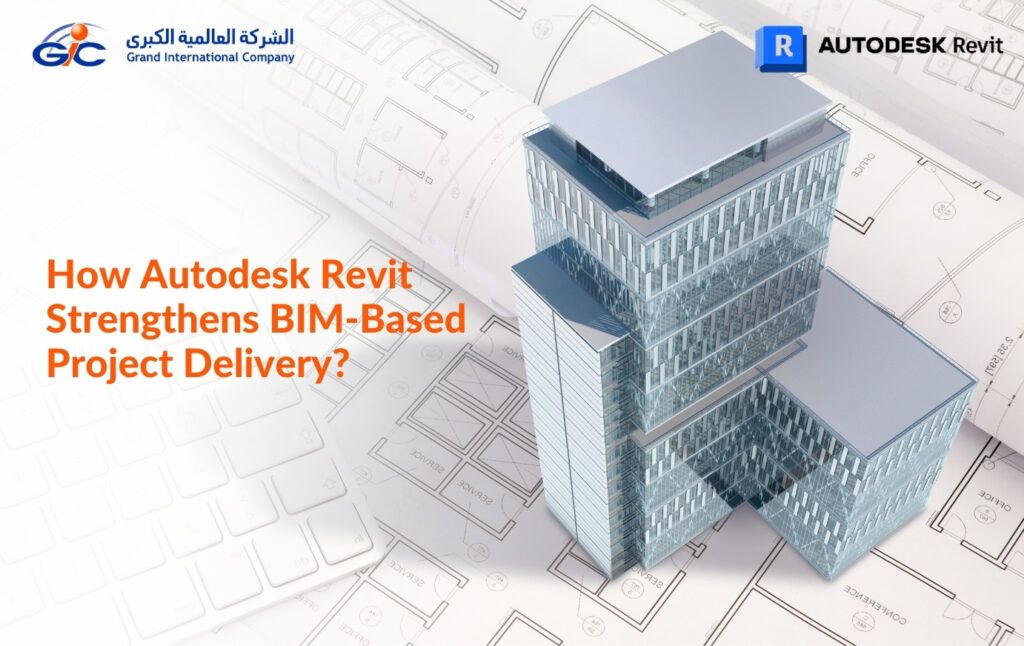
This blog discusses how Autodesk Revit enables Building Information Modeling (BIM) for architects, structural engineers, and MEP consultants.
Why Revit Matters in a BIM Workflow?
- Revit turns BIM processes into real models.
- It keeps all teams working on the same page.
- Changes in one place automatically update everything.
- This reduces errors and saves time on projects.
Where BIM and Revit Add the Most Value?
So, where does the real value come in? BIM sets the rules—it’s the framework for collaboration. Revit makes it practical. Teams get one shared model, and every change updates across the board. Errors drop, coordination improves, and planning becomes more predictable. Architects see accurate visualizations. Structural engineers catch clashes and test loads early. MEP consultants can map complex systems without surprises.
How Revit Supports Architects?
Architects have a lot to handle. They plan spaces, manage drawings, and try to keep everyone on the same page. Revit helps make it simpler. It keeps designs in one place and makes changes less stressful.
Making Design Changes Easier – Ever notice how one small change can cause chaos?
If you move a wall or a window, Revit updates everything automatically. Plans, sheets, even schedules. No more running around fixing mistakes.
Adapting Quickly with Parametric Modeling – What if the client asks for changes at the last minute?
Revit lets you adjust designs at any stage. You can tweak layouts without starting over. It’s flexible when things change.
Checking Early with Analysis and Visualization – Can you spot problems before they happen?
You can run energy or lighting checks early. And the 3D views show clients what the building will really look like.
Bringing Designs to Life – How does Revit make concepts real?
Revit keeps architects organized, flexible, and connected to the team. Designs move from ideas to real plans without unnecessary stress.
Visualizing the Whole Project
3D views and realistic models make it easier to explain ideas to architects. They can visualize the whole project, get a better idea, and stay updated in real time.
Designing Smarter and Greener
Revit also lets engineers check energy use and materials. Small tweaks can make a project more sustainable without complications.
How Revit Assists Structural Engineers?
Structural engineers have one of the trickiest jobs on a building project. They take what architects dream up and figure out how to make it stand safely. It can get messy if everyone’s working in separate files. Revit helps because everyone’s working on a single platform.
Keeping Teams in Sync
Ever wonder how engineers stay in sync with architects and MEP teams? Revit lets multiple people work on the same model at the same time. If a wall moves or a beam changes, everyone sees it instantly. No more confusion or frantic calls.
Modeling Complex Structures
Beams, columns, foundations—these can get complicated fast. Revit lets you model it all in one place. Change a dimension or a material, and the model updates everywhere. Less rework, less stress.
Checking Strength Early
How do you know it will actually hold up? Revit can link with analysis tools to test loads, stresses, and other requirements before construction starts. Problems show up on the screen, not on-site.
Spotting Clashes Before They Happen
Pipes, ducts, and beams sometimes collide. Revit throws light on these issues at an early stage so that teams can address them early. No last-minute chaos on site.
Always Evolving
Autodesk keeps adding updates, new tools, and support. Engineers get to work smarter with the latest features, without having to start over every time.
How Revit Helps MEP Consultants Stay Aligned?
MEP work is tricky. You’ve got heating, cooling, pipes, wiring, all these systems have to fit perfectly into the building. If something’s off, it confuses. Revit makes it easier because you can see it all in one place, and everyone else can see changes, too.
Planning HVAC and Electrical Systems
Ducts, vents, panels, wire. It’s easy to get lost. With Revit, you can map it out in 3D and check if everything fits before anyone starts cutting or installing.
Coordinating Plumbing and Other Systems
Ever had a pipe clash with a beam? It’s annoying and expensive to fix later. Revit shows these conflicts early, so teams can adjust in the model, not on the construction site.
Testing Energy and Performance
You can see if systems will work efficiently—like airflow, energy usage, or heating. Small changes now can save money and headaches later.
Keeping Documentation Organized
Plans, schedules, reports—if one thing changes, Revit updates it everywhere. No more chasing old sheets or doing the same work twice.
Changing Designs Quickly
Revit lets you tweak pipes, ducts, or wiring, and everything updates automatically.
Working Together as a Team
The best part? Everyone sees the same model. Architects, engineers, MEP consultants—no more miscommunication.
Prefabrication and Modular Planning
Some systems can be built off-site and brought in ready. Revit helps plan that, so installation on-site is faster and cleaner.
Keeping an Eye on the Future
Revit also helps track how systems will perform over time. It’s like giving the building a roadmap for maintenance and efficiency.
GIC: Best Autodesk Revit Reseller & Gold Partner in Qatar
When you’re working with Revit and BIM, having someone who actually gets it makes life easier. That’s where Grand International Company (GIC) comes in. As one of the trusted autodesk gold partners in Qatar, they don’t just sell software—they guide you, train you, and stick around when things get tricky.
GIC has been around helping architects, engineers, and MEP consultants really make Revit work. They know what teams struggle with real projects, and they offer solutions that actually make sense.
Why Choose GIC?
Training You Can Trust
They’re an authorized Autodesk training center. That means you can actually learn Revit the right way and get certified without guessing or copying tutorials.
Gold Partner Credibility
Being a Gold Partner isn’t just a title. It shows Autodesk trusts them, and you can trust the products, support, and services you’re getting.
Where are they available?
GIC has offices in Qatar and Kuwait, making them a reliable autodesk reseller in kuwait as well. Local support, quick help, and hands-on guidance whenever you need it.
- Kuwait
- (+965) 22289090
- Building 59, Street 39, Block 01, Al Rai, Kuwait
- Qatar
- (+974) 40012586
- Office I-102, 1st Floor, I Block, Mirqab Mall, Al Mirqab Al Jadeed St, Doha
Support From Start to Finish
From installing the software to solving annoying little glitches, GIC’s team is there. You can focus on your projects instead of stressing over Revit.
And having GIC by your side? That’s the difference between struggling with software and actually getting things done.
FAQs
A. It keeps everything in one place. Move a wall, and the plans, sections, and schedules update automatically.
A. Yes! They’re an official Autodesk training center with real certification courses.
A. They’re in Qatar and Kuwait, ready to help with software, training, and real-world project advice.
A. Definitely. From setup to troubleshooting, they’re there for the long haul.
Get Revit support that works
Talk to GIC today